Interactive Therapy Material
Flashlight I Spy: Winter
How to Play
Flashlight I Spy
Use the flashlight to search the winter scene for the item shown on each card.
- Move your mouse or finger over the picture to shine the flashlight.
- Look for the item shown under Find.
- Use Talk About It for optional language questions and conversation starters.
- Select Next when you are ready for another item.
- Use Activity Map anytime to jump to a different card.
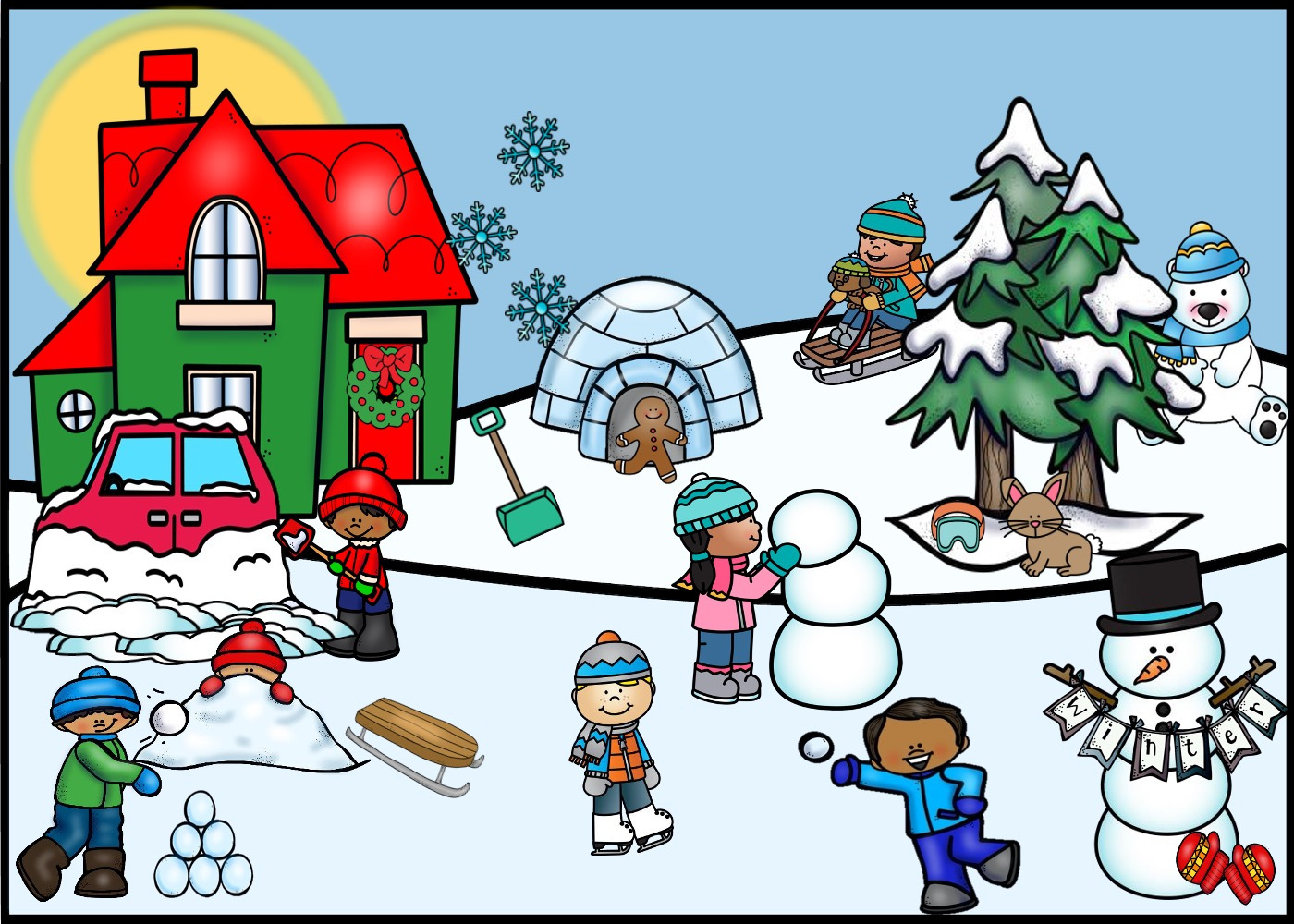
Move your mouse or finger around the picture to shine the flashlight. Pinch the picture to zoom; drag to move around.
Use Move / Zoom to pinch and move the picture. Choose a drawing tool to mark it. For a text box, choose Text box and tap where you want to type. Undo removes the last drawing; Clear all removes drawings and text boxes.